HIPAA Verified

Cone Beam Sharing

Share CBCTs Effortlessly. No More Burning CDs.

Cone beam files now travel with your referral attached, HIPAA-compliant, and available the moment the specialist opens the case.

No friction. No commitment required.
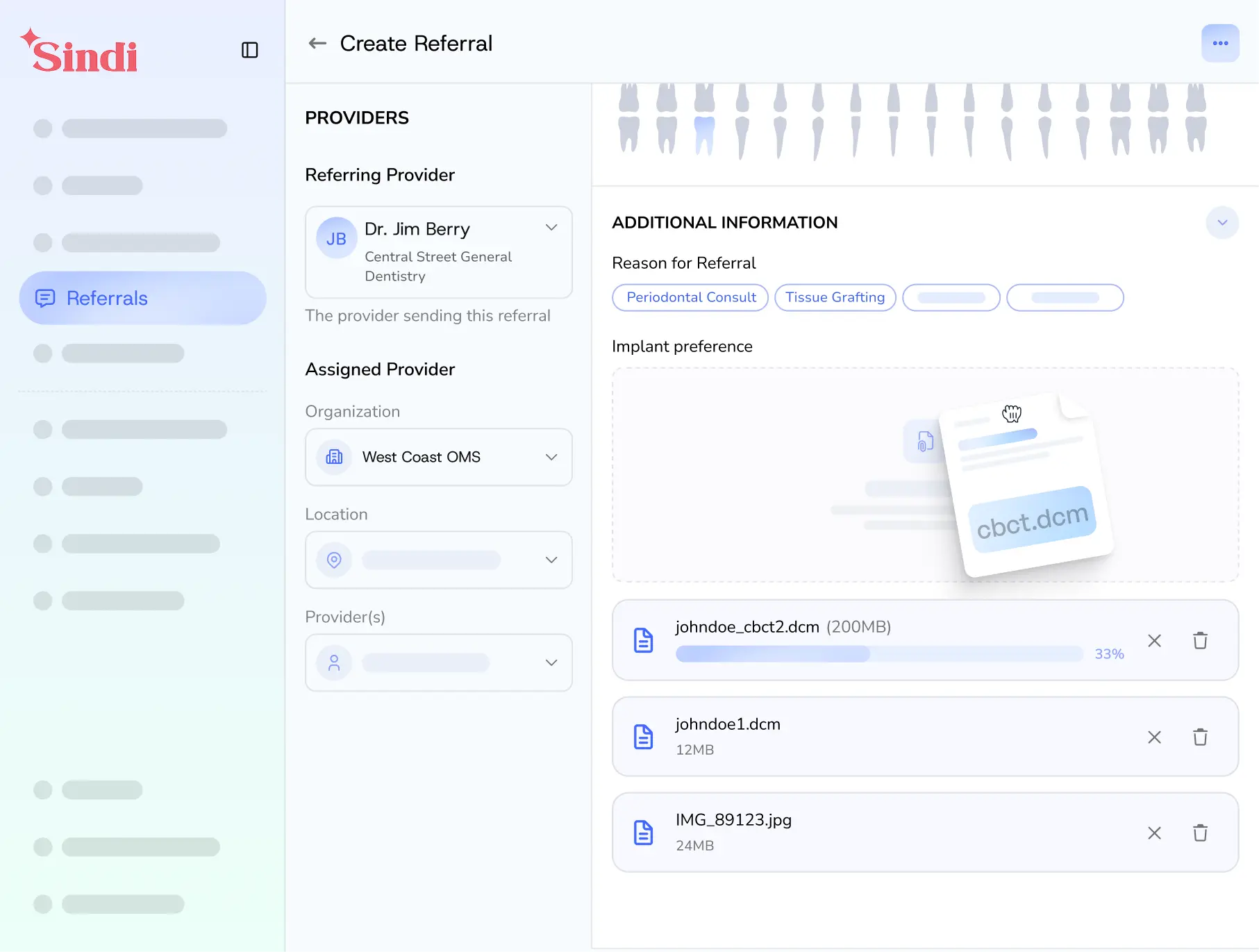
Cone beam files shouldn't require a field trip.

Sharing a CBCT scan has always meant burning a CD, sending files through Dropbox, or hoping a large email attachment would go through.

Burning CDs

Staff creates a disc and delivers it separately from the referral.

Dropbox or File Sharing

Requires a separate paid subscription, login, and link that isn't connected to the case.

Email Attachments

Large DICOM files usually fail to send and are disconnected from the referral workflow.

With

Cone beam files travel with the referral.

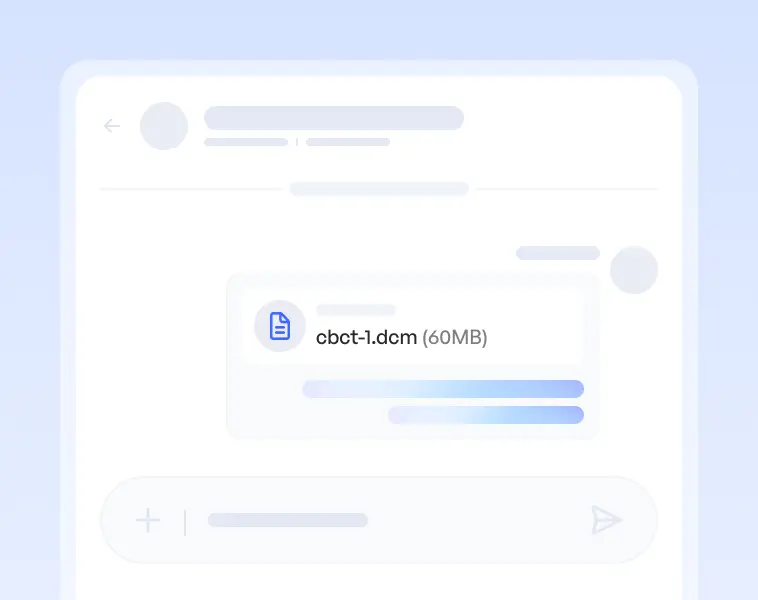
Upload CBCT and DICOM files directly to the case. Specialists can access them instantly when they open the referral and reply within the same thread.

Cone beam files shouldn't require a field trip.

Sharing a CBCT scan has always meant burning a CD, sending files through Dropbox, or hoping a large email attachment would go through.

Burning CDs

Staff creates a disc and delivers it separately from the referral.

Dropbox or File Sharing

Requires a separate paid subscription, login, and link that isn't connected to the case.

Email Attachments

Large DICOM files usually fail to send and are disconnected from the referral workflow.

With

Cone beam files travel with the referral.

Upload CBCT and DICOM files directly to the case. Specialists can access them instantly when they open the referral and reply within the same thread.

Cone beam files shouldn't require a field trip.

Sharing a CBCT scan has always meant burning a CD, sending files through Dropbox, or hoping a large email attachment would go through.

Burning CDs

Staff creates a disc and delivers it separately from the referral.

Dropbox or File Sharing

Requires a separate paid subscription, login, and link that isn't connected to the case.

Email Attachments

Large DICOM files usually fail to send and are disconnected from the referral workflow.

With

Cone beam files travel with the referral.

Upload CBCT and DICOM files directly to the case. Specialists can access them instantly when they open the referral and reply within the same thread.

What changes when the scan is already there.

Before

Scattered, slow, and disconnected from the case

Staff burns a CD and hand-delivers or mails to the receiving office

Files arrive with no connection to patient or case record

Dropbox or file share managed in a silo separate from the referral

Specialist has to chase down missing scans before scheduling

File transfer is one-way with no system to respond in context

HIPAA risk using consumer file-sharing tools

With

Attached to the case, available the moment it's opened

Upload CBCT files directly inside the referral form

Files arrive with the referral, no follow-up needed

Specialist can message back instantly inside the same thread

Specialist can schedule immediately, no waiting on scans

Supports ZIP, DICOM and other large file formats

End-to-end HIPAA-compliant storage and transfer

Before

Scattered, slow, and disconnected from the case

Staff burns a CD and hand-delivers or mails to the receiving office

Files arrive with no connection to patient or case record

Dropbox or file share managed in a silo separate from the referral

Specialist has to chase down missing scans before scheduling

File transfer is one-way with no system to respond in context

HIPAA risk using consumer file-sharing tools

With

Attached to the case, available the moment it's opened

Upload CBCT files directly inside the referral form

Files arrive with the referral, no follow-up needed

Specialist can message back instantly inside the same thread

Specialist can schedule immediately, no waiting on scans

Supports ZIP, DICOM and other large file formats

End-to-end HIPAA-compliant storage and transfer

Before

Scattered, slow, and disconnected from the case

Staff burns a CD and hand-delivers or mails to the receiving office

Files arrive with no connection to patient or case record

Dropbox or file share managed in a silo separate from the referral

Specialist has to chase down missing scans before scheduling

File transfer is one-way with no system to respond in context

HIPAA risk using consumer file-sharing tools

With

Attached to the case, available the moment it's opened

Upload CBCT files directly inside the referral form

Files arrive with the referral, no follow-up needed

Specialist can message back instantly inside the same thread

Specialist can schedule immediately, no waiting on scans

Supports ZIP, DICOM and other large file formats

End-to-end HIPAA-compliant storage and transfer

Built for both sides of every referral.

Sindi works for the practice sending the referral, the practice receiving it, and the patient. Here's what the workflow looks like.

No friction. No commitment required.

Sending a CBCT

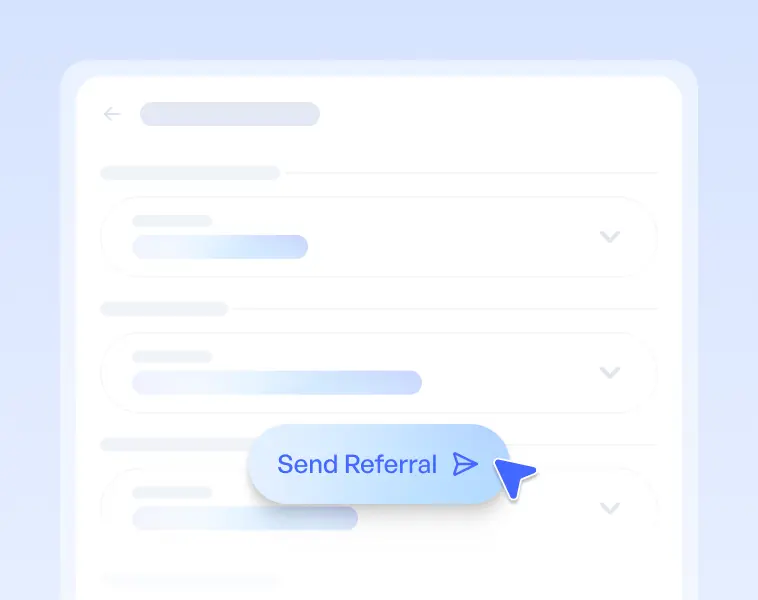
Step 1

Fill out the referral form

Add patient details, clinical notes, insurance, and reason for referral as you normally would.

Step 1

Fill out the referral form

Add patient details, clinical notes, insurance, and reason for referral as you normally would.

Step 1

Fill out the referral form

Add patient details, clinical notes, insurance, and reason for referral as you normally would.

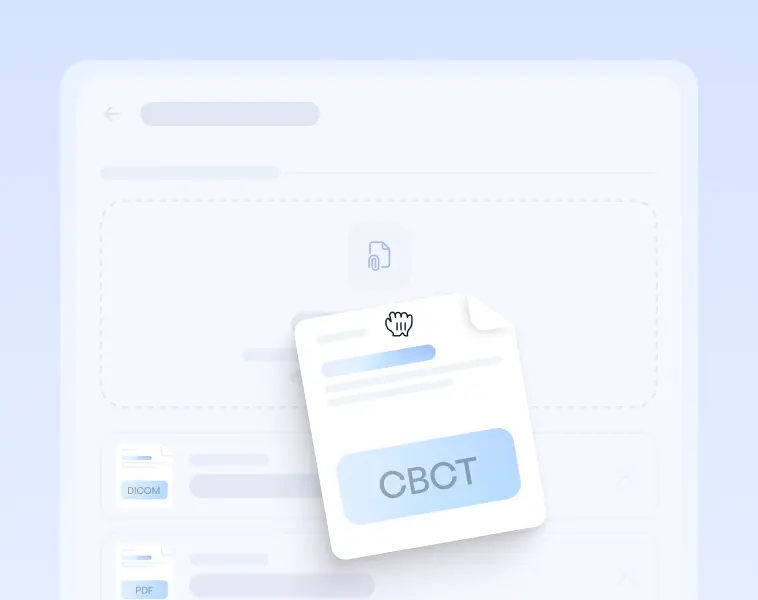
Step 2

Attach CBCT or DICOM files

Upload directly from imaging software. Supports DICOM, ZIP, STL, and files up to 500MB.

Step 2

Attach CBCT or DICOM files

Upload directly from imaging software. Supports DICOM, ZIP, STL, and files up to 500MB.

Step 2

Attach CBCT or DICOM files

Upload directly from imaging software. Supports DICOM, ZIP, STL, and files up to 500MB.

Step 3

Send the referral

Files travel with the referral. The specialist is notified instantly with everything in one place. No follow-up required.

Step 3

Send the referral

Files travel with the referral. The specialist is notified instantly with everything in one place. No follow-up required.

Step 3

Send the referral

Files travel with the referral. The specialist is notified instantly with everything in one place. No follow-up required.

Receiving a CBCT

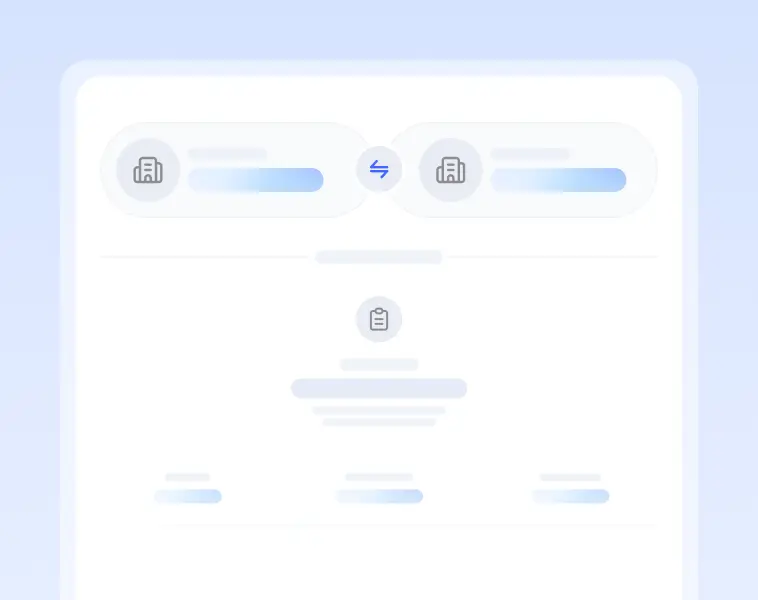
Step 1

Receive the complete referral

Patient details, clinical notes, x-rays, and cone beam files — all in one notification. Nothing missing before you can act.

Step 1

Receive the complete referral

Patient details, clinical notes, x-rays, and cone beam files — all in one notification. Nothing missing before you can act.

Step 1

Receive the complete referral

Patient details, clinical notes, x-rays, and cone beam files — all in one notification. Nothing missing before you can act.

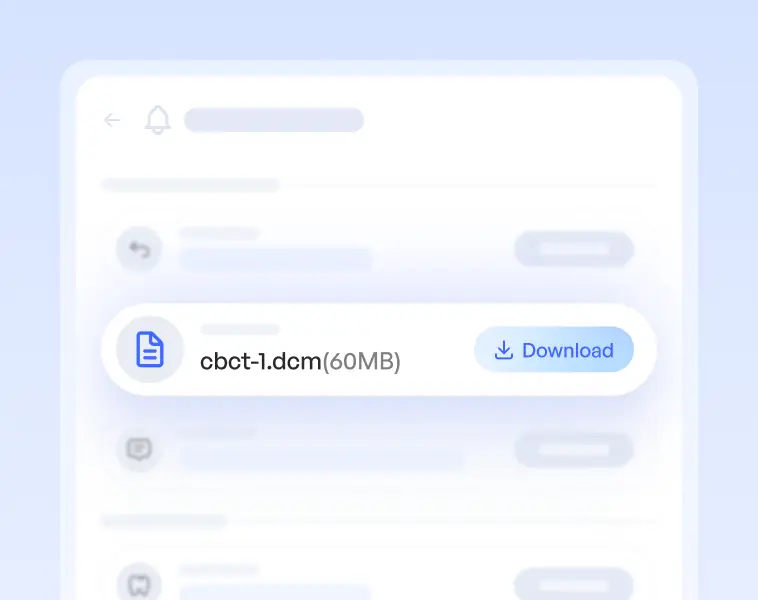
Step 2

Access and download CBCT files

Download files and import into your imaging software Carestream, i-CAT Vision, Planmeca Romexis, and others.

Step 2

Access and download CBCT files

Download files and import into your imaging software Carestream, i-CAT Vision, Planmeca Romexis, and others.

Step 2

Access and download CBCT files

Download files and import into your imaging software Carestream, i-CAT Vision, Planmeca Romexis, and others.

Step 3

Message back in the same thread

Reply directly inside the referral. No separate email, no phone tag one conversation, both directions.

Step 3

Message back in the same thread

Reply directly inside the referral. No separate email, no phone tag one conversation, both directions.

Step 3

Message back in the same thread

Reply directly inside the referral. No separate email, no phone tag one conversation, both directions.

Sindi vs. The Old Way

Feature

Files arrive with the referral

HIPAA-compliant transfer

Two-way messaging capabilities

Included with plan

Staff time to transfer

Tied to patient record

Sindi Logo

Cone Beam Transfer

Yes

Yes

Yes, inside the referral

Yes, with Sindi Pro

1-2 minutes, depending on office internet speed

Yes, always

No friction. No commitment required.

Dropbox / CD

No, separate link or disc

Requires Dropbox Business plan or disc delivery

No, one-way file drop

Separate subscription or supplies

30-60+ minutes to burn and deliver

No, must manually to patient record

Sindi vs. The Old Way

Feature

Files arrive with the referral

HIPAA-compliant transfer

Two-way messaging capabilities

Included with plan

Staff time to transfer

Tied to patient record

Sindi Logo

Cone Beam Transfer

Yes

Yes

Yes, inside the referral

Yes, with Sindi Pro

1-2 minutes, depending on office internet speed

Yes, always

No friction. No commitment required.

Dropbox / CD

No, separate link or disc

Requires Dropbox Business plan or disc delivery

No, one-way file drop

Separate subscription or supplies

30-60+ minutes to burn and deliver

No, must manually to patient record

Sindi vs. The Old Way

Feature

Files arrive with the referral

HIPAA-compliant transfer

Two-way messaging capabilities

Included with plan

Staff time to transfer

Tied to patient record

Sindi Logo

Cone Beam Transfer

Yes

Yes

Yes, inside the referral

Yes, with Sindi Pro

1-2 minutes, depending on office internet speed

Yes, always

No friction. No commitment required.

Dropbox / CD

No, separate link or disc

Requires Dropbox Business plan or disc delivery

No, one-way file drop

Separate subscription or supplies

30-60+ minutes to burn and deliver

No, must manually to patient record

Everything a modern CBCT transfer needs.

No friction. No commitment required.

Everything a modern referral workflow needs.

No friction. No commitment required.

Large File Support

Supports CBCT, DICOM folders, .dcm, .zip, and .stl. up to 500MB per file. Larger studies can be split across multiple uploads and sent together.

Large File Support

Supports CBCT, DICOM folders, .dcm, .zip, and .stl. up to 500MB per file. Larger studies can be split across multiple uploads and sent together.

Large File Support

Supports CBCT, DICOM folders, .dcm, .zip, and .stl. up to 500MB per file. Larger studies can be split across multiple uploads and sent together.

Two-Way Collaboration

Unlike a burned CD or Dropbox share, the recipient can message back inside the thread, not a separate email or phone call.

Two-Way Collaboration

Unlike a burned CD or Dropbox share, the recipient can message back inside the thread, not a separate email or phone call.

Two-Way Collaboration

Unlike a burned CD or Dropbox share, the recipient can message back inside the thread, not a separate email or phone call.

Instant Availability

The specialist receives files the moment the referral is sent. No mail or hand delivery. No tracking down a shared link.

Instant Availability

The specialist receives files the moment the referral is sent. No mail or hand delivery. No tracking down a shared link.

Instant Availability

The specialist receives files the moment the referral is sent. No mail or hand delivery. No tracking down a shared link.

Attached to the Case

Files live inside the referral record tied to the patient, case timeline, and referring practice. Nothing floats loose.

Attached to the Case

Files live inside the referral record tied to the patient, case timeline, and referring practice. Nothing floats loose.

Attached to the Case

Files live inside the referral record tied to the patient, case timeline, and referring practice. Nothing floats loose.

HIPAA-Compliant Transfer

End-to-end encrypted storage and transfer. A BAA is available for every practice on Sindi.

HIPAA-Compliant Transfer

End-to-end encrypted storage and transfer. A BAA is available for every practice on Sindi.

HIPAA-Compliant Transfer

End-to-end encrypted storage and transfer. A BAA is available for every practice on Sindi.

Included with Sindi Pro

No third-party subscriptions needed. Cancel your Dropbox Business plan. Stop buying blank CDs.

Included with Sindi Pro

No third-party subscriptions needed. Cancel your Dropbox Business plan. Stop buying blank CDs.

Included with Sindi Pro

No third-party subscriptions needed. Cancel your Dropbox Business plan. Stop buying blank CDs.

What dentists say about Sindi

"I can send referrals from anywhere. I don't need a referral pad."

Mike Fangman, DDS

Orange Tree Dental

"Our business is all about referrals, and now I feel in control."

Paul Lutgen, DDS

Puget Sound Oral Surgery

"We love how easy it is to share x-rays. Attach to referral, click send and done. So much better than before."

Nathan Huynh, DDS

Puget Sound Oral Surgery

"Before Sindi, referrals were emails, lots of paper, scanning, and trying to get people on the phone. Now everything's right there and I can manage 300+ referrals by myself."

Lupe Gomez, Office Manager

Monterey Oral Surgery

"I can send referrals from anywhere. I don't need a referral pad."

Mike Fangman, DDS

Orange Tree Dental

"Our business is all about referrals, and now I feel in control."

Paul Lutgen, DDS

Puget Sound Oral Surgery

"We love how easy it is to share x-rays. Attach to referral, click send and done. So much better than before."

Nathan Huynh, DDS

Puget Sound Oral Surgery

"Before Sindi, referrals were emails, lots of paper, scanning, and trying to get people on the phone. Now everything's right there and I can manage 300+ referrals by myself."

Lupe Gomez, Office Manager

Monterey Oral Surgery

No friction. No commitment required.

Stop burning CDs. Start sending complete referrals.

Cone beam files travel with your referral. The specialist has everything when they open it.

2x

Faster scheduling

100%

Referral conversion

40%

Less admin time

12+

Saved hours per week

Frequently Asked Questions

01

What file formats does Sindi support?

Sindi supports DICOM (.dcm), CBCT proprietary formats, .zip archives of DICOM series, .nrrd, and .stl files. Contact us if your imaging software exports a format not listed.

Sindi supports DICOM (.dcm), CBCT proprietary formats, .zip archives of DICOM series, .nrrd, and .stl files. Contact us if your imaging software exports a format not listed.

02

Is there a file size limit?

Each file can be up to 500MB. Larger CBCT studies can be split into multiple ZIP files and uploaded together on the same referral.

03

Is this HIPAA-compliant?

Yes. All file transfers on Sindi are end-to-end encrypted. A Business Associate Agreement (BAA) is available for every practice on the platform.

04

Does the specialist need a special viewer?

No. Sindi delivers files in their original format for download. The specialist imports them into their existing imaging software — Carestream, i-CAT Vision, Planmeca Romexis, and others.

05

Does the receiving practice need to be on Sindi?

Yes — the receiving practice needs a Sindi account to access and download files securely. Practices not yet on Sindi can be invited directly from the referral form. Setup takes under five minutes.

06

Is cone beam transfer included in the free plan?

Cone beam transfers are available on Sindi's Pro plan. See the pricing page for full details on what's included at each tier.

Still have questions?

We’re here to help. No pressure, no sales scripts.

Explore how Sindi fits your workflow needs

Explore how Sindi fits your workflow needs